
Trips, schedules and Siri
Recording a trip
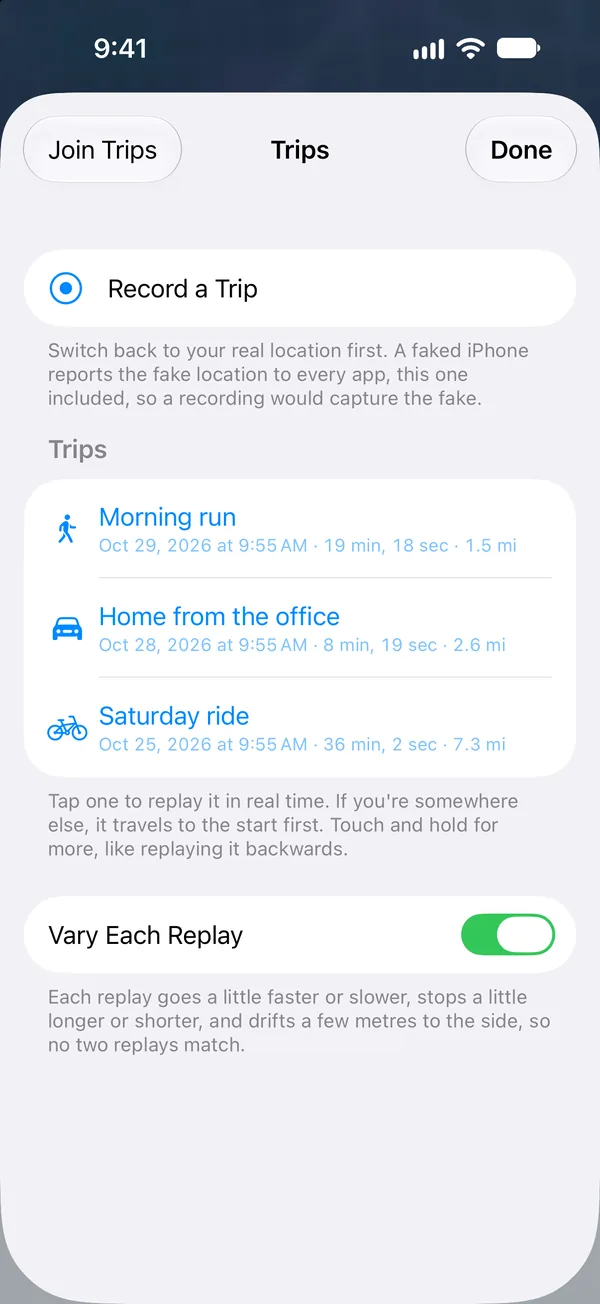
The most convincing journey is one you really took. Start recording, put the phone in your pocket, and go. StealthPin records with the screen off and keeps the real stops, speeds and GPS wobble.
Later you can replay it with its own timing, from anywhere. If you use the Mac app too, recorded trips upload to it, where you can rename them, delete them or export them as GPX.
Schedules
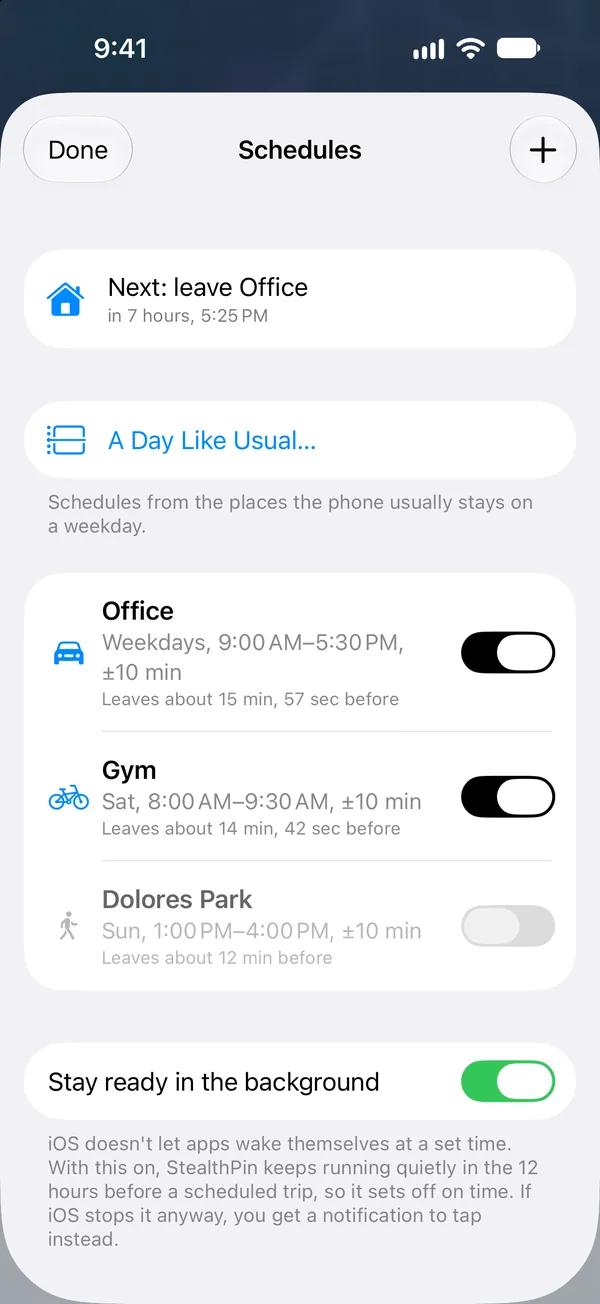
A schedule is something like "the office, 9 to 5, weekdays, by car" or "the gym, Saturday mornings, on foot." StealthPin sets off in time to arrive when you said, and heads back when the stay ends.
One catch: iOS won't wake a suspended app at an exact time. So for each event StealthPin also posts a notification about a minute later. If the event didn't start on time, tap the notification and it runs then, a little late.
Siri and Shortcuts
These work from Siri, the Shortcuts app and anything that runs shortcuts:
| Action | What it does |
|---|---|
| Appear at Bookmark | Jumps to one of your bookmarks. |
| Travel to Bookmark | Travels to a bookmark along the real route. |
| Appear at a Place | Jumps to a place you name. |
| Travel to a Place | Travels to a place you name. Siri asks "Where?" |
| Back to Real Location | Stops everything, as the red button does. |
Each one comes with phrases Siri already knows, so you can use them by voice without building a shortcut first.