
Knowing it's holding
A fake location is only useful while it holds, and the moment it stops your real one shows again. StealthPin gives you a few ways to know which is happening.
The Lock Screen
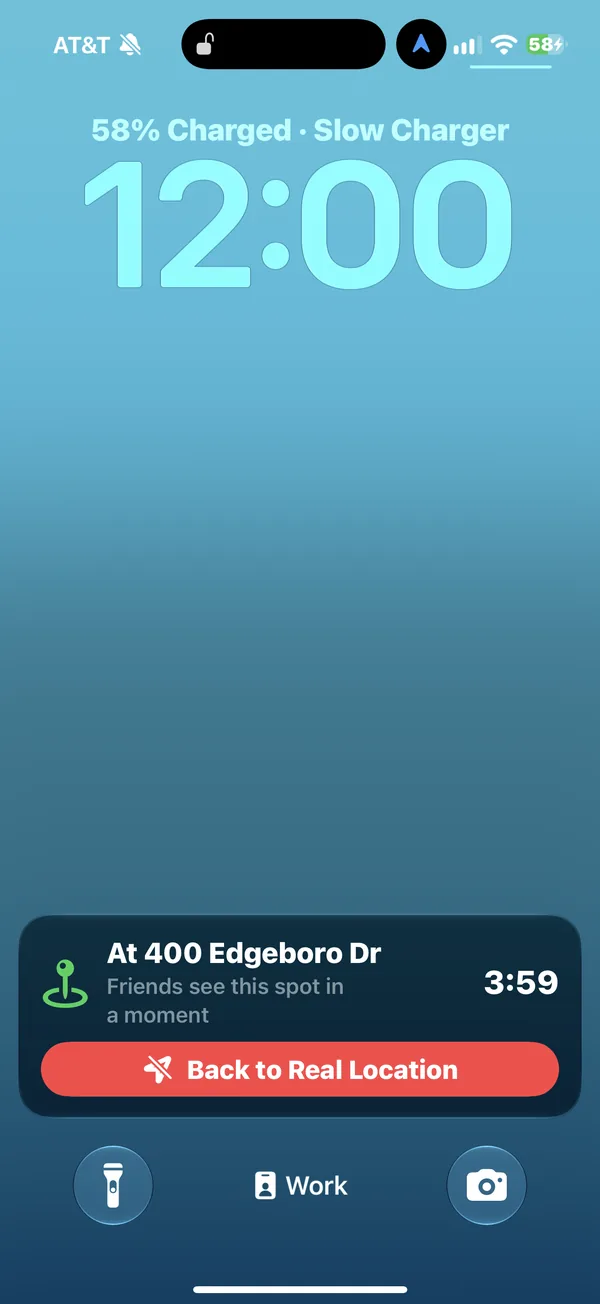
While StealthPin holds, a Live Activity sits on the Lock Screen with a Back to Real Location button. If iOS closes the app, the activity goes stale within a few minutes and changes to say the real location may be showing. You can turn it off, or hide the place name, in Settings.
Notifications
If holding stops while the phone is in your pocket, StealthPin sends a notification. It sends another when it recovers.
The hold log
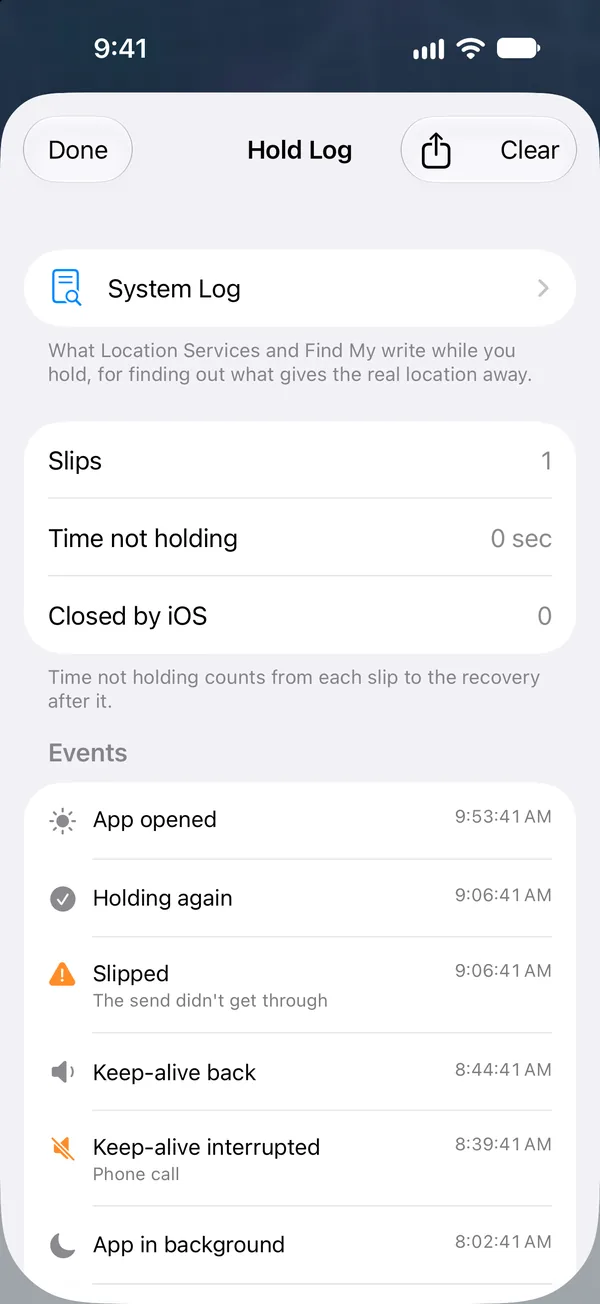
The hold log records each time holding started, slipped, recovered, stopped, or was closed by iOS, with a summary of how well the last stretch held. It's the thing to check after a day out, if you want to know whether there were any gaps.
What friends see
People you share your location with don't see your phone live. They see what Find My last shared with them, and it shares at most about once an hour, or straight away after a move of more than 10 km.
So for up to an hour after you start, friends may still see where you were. StealthPin reads Find My's own log on the phone and shows, on its main screen, which spot friends see now and roughly when Find My shares next.
The System Log watch
This one's for digging. It streams the phone's system log and keeps the lines Location Services and Find My write, which is how we're trying to catch what sends the real location at home (see Known limits). It stops itself after half an hour.